Architecture
The Architecture view provides three progressive lenses to explore your application's structure, each answering a different developer question.
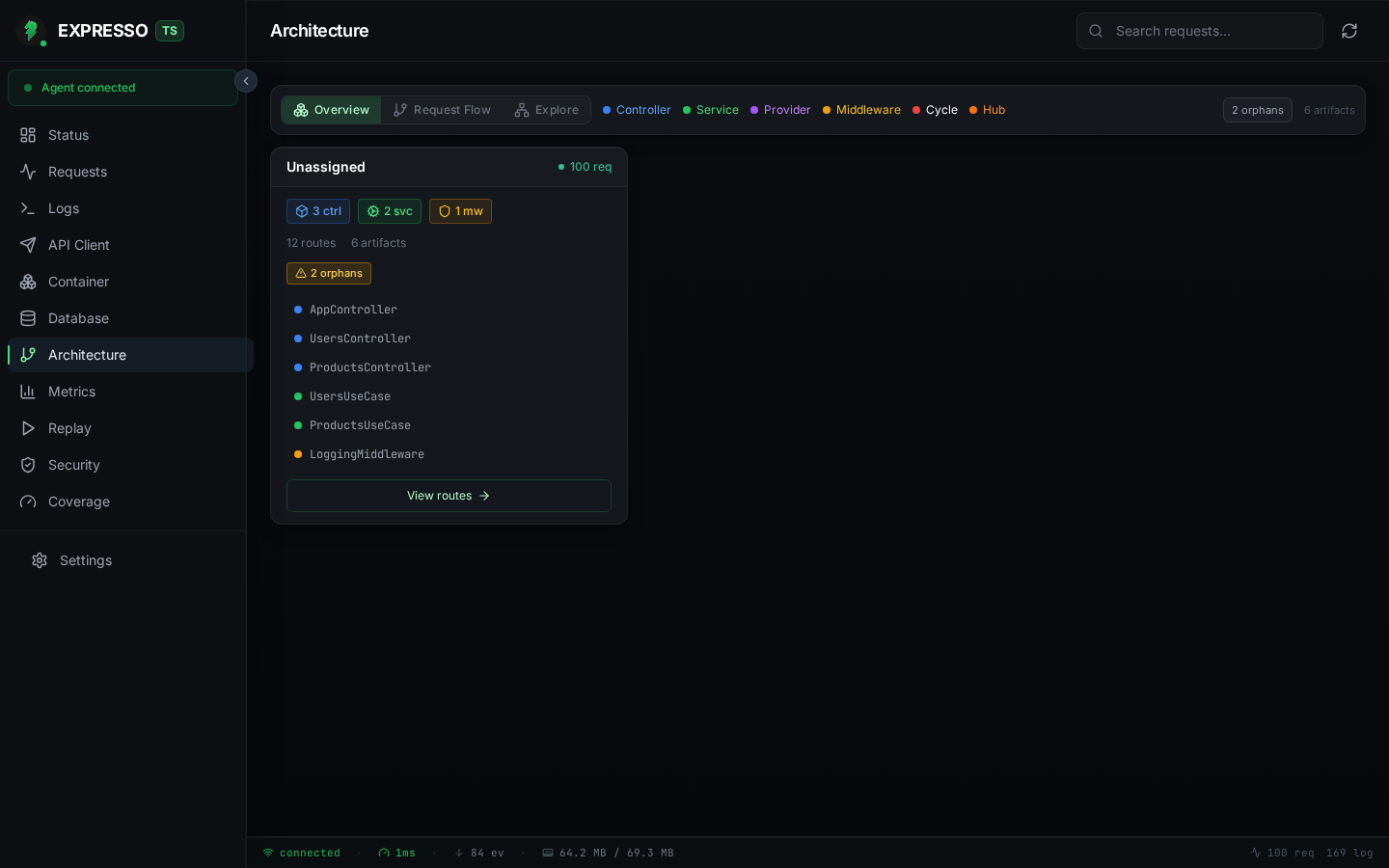
Overview (default)
A card grid showing every module in your application with its member counts, route totals, and runtime traffic. Click a member to open the detail drawer; click "View routes" to jump to the Request Flow lens for that module's routes.
Projects without explicit modules show a single "Application" card grouping all artifacts.
Request Flow
Select any route from the searchable sidebar to see the full HTTP pipeline as a vertical step list:
HTTP request -> Global middleware -> Route middleware -> Controller.method() -> DI chain
Each step shows its artifact type (controller, service, provider, middleware), file path, and runtime stats when available. Live requests pulse through the steps in real time. Click "Try in API Client" to send the request directly from Studio.
Explore
Pick any artifact and see its 2-hop dependency neighborhood as an adjacency list. Toggle between "Depends on", "Depended on by", and "Both" views. Click the health strip pills (cycles, hubs, orphans) to filter the neighborhood to problematic nodes.
Legend
The toolbar displays a color-coded legend for all artifact types and warning categories:
- Controller (blue), Service (green), Provider (purple), Middleware (amber)
- Cycle (red): circular dependency, Hub (orange): high fan-in node
Health Strip
Visible on all lenses, the health strip shows architectural warnings at a glance: circular dependencies, orphan artifacts (unreferenced services/providers), and hub nodes with high fan-in. Clicking a pill navigates to the Explore lens filtered to those nodes.
Cross-view Navigation
Other Studio views link into Architecture for context:
- Requests / Trace Detail: "View flow" button opens Request Flow with the route pre-selected.
- Container Inspector: "Explore dependencies" on a binding opens Explore focused on that artifact.
- Status Dashboard: "View Architecture" navigates to the Overview lens.