Security
The Security view is a local, always-on security analyst for your application. It combines two complementary lenses so you catch vulnerabilities during development, not in production.
Studio never sends your package.json, lockfile, code, or traffic anywhere. All analysis happens on your machine.
Why it matters
Most teams run npm audit once a sprint and ignore the results because the list is noisy and mostly transitive. Studio solves that with reachability scoring: it cross-references advisories against your actual imports, DI graph, and recorded traffic so you know which vulnerabilities your code actually reaches.
Header controls
The Security header gives you everything you need to stay current without leaving the view:
| Control | What it does |
|---|---|
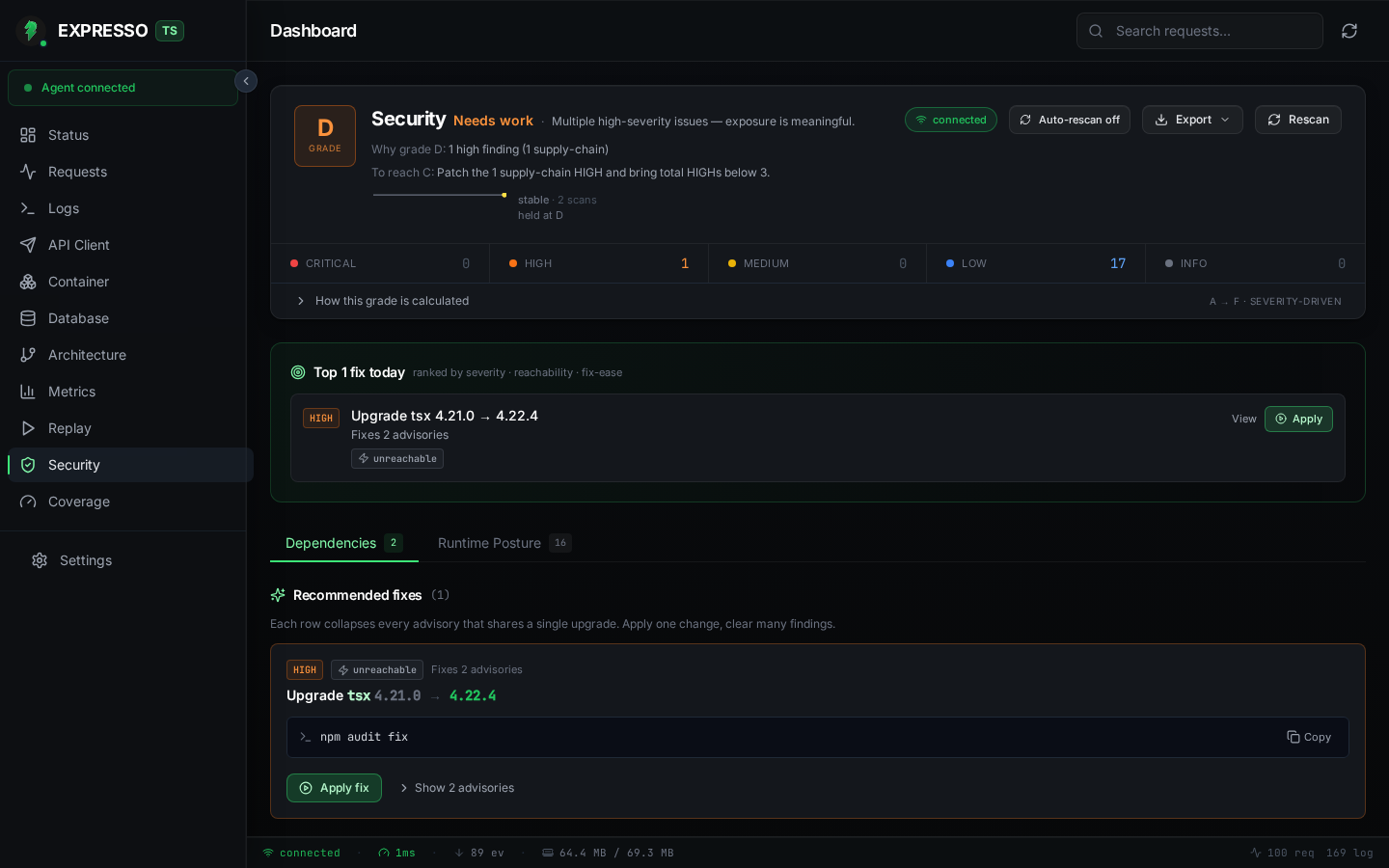
| Grade banner | Single letter score (A to F) with a plain-language summary of why you got that grade. |
| Severity bar | Counts of CRITICAL / HIGH / MEDIUM / LOW / INFO findings across both tabs. |
| Auto-rescan | Toggle automatic re-scan when the lockfile changes on disk. |
| Export | Download a Markdown report of the current findings. |
| Rescan | Trigger a fresh npm audit + posture pass on demand. |
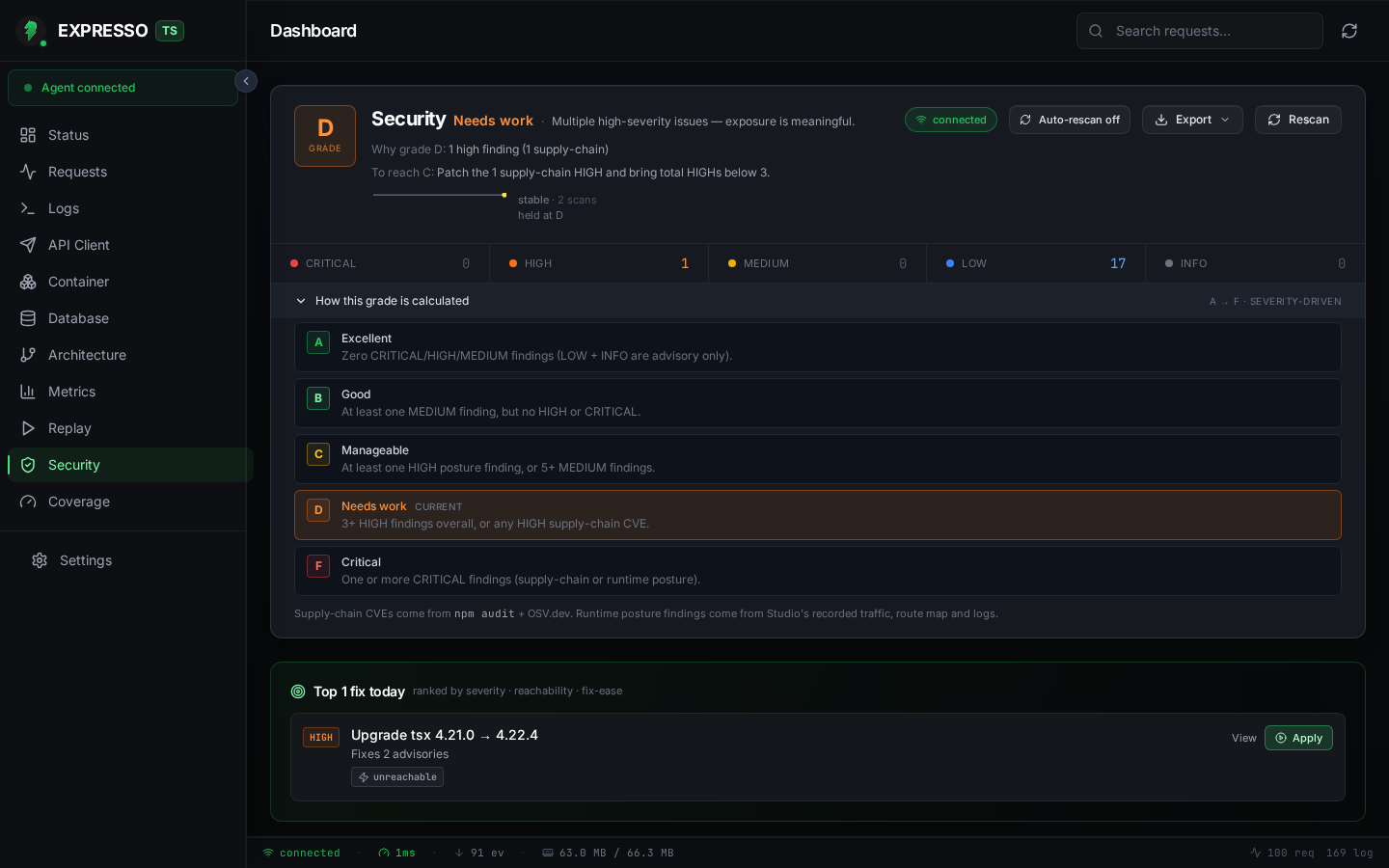
Expand How this grade is calculated to see the weighting breakdown Studio used for the current score:
Dependencies (supply-chain)
Switch to the Dependencies tab for CVE / GHSA / OSV advisories from npm audit, enriched with OSV.dev metadata.
When you open the Security view (or whenever the lockfile changes), the agent:
- Runs
npm audit --jsonin a background child process (never on the request thread). - Cross-references results against OSV.dev for richer metadata and non-npm advisories.
- Parses your lockfile into a dependency graph to build root-cause chains that show which direct dependency dragged in the vulnerable transitive package.
- Scores each finding for reachability:
| Reachability | Meaning |
|---|---|
confirmed | A recorded exchange hit a route whose source transitively imports the vulnerable package. |
likely | A route imports the package, but no recorded exchange has hit that route yet. |
unreachable | The package is in the lockfile but no source file in src/ imports it (e.g. dev-only transitive). |
unknown | Recording is disabled or the source scan timed out. |
Each advisory shows severity, package and version, GHSA/CVE/OSV links, the root-cause chain, and a copy-pasteable fix command.
One-click fixes
Findings that share an upgrade target are grouped into FixGroups. Click Apply fix and Studio runs the command, streams live terminal output, and automatically re-scans when it finishes, with no manual npm audit cycle needed.
Runtime posture (OWASP API Top 10)
The Runtime Posture tab scores your recorded HTTP traffic, routes, logs, and DI graph against the OWASP API Security Top 10:
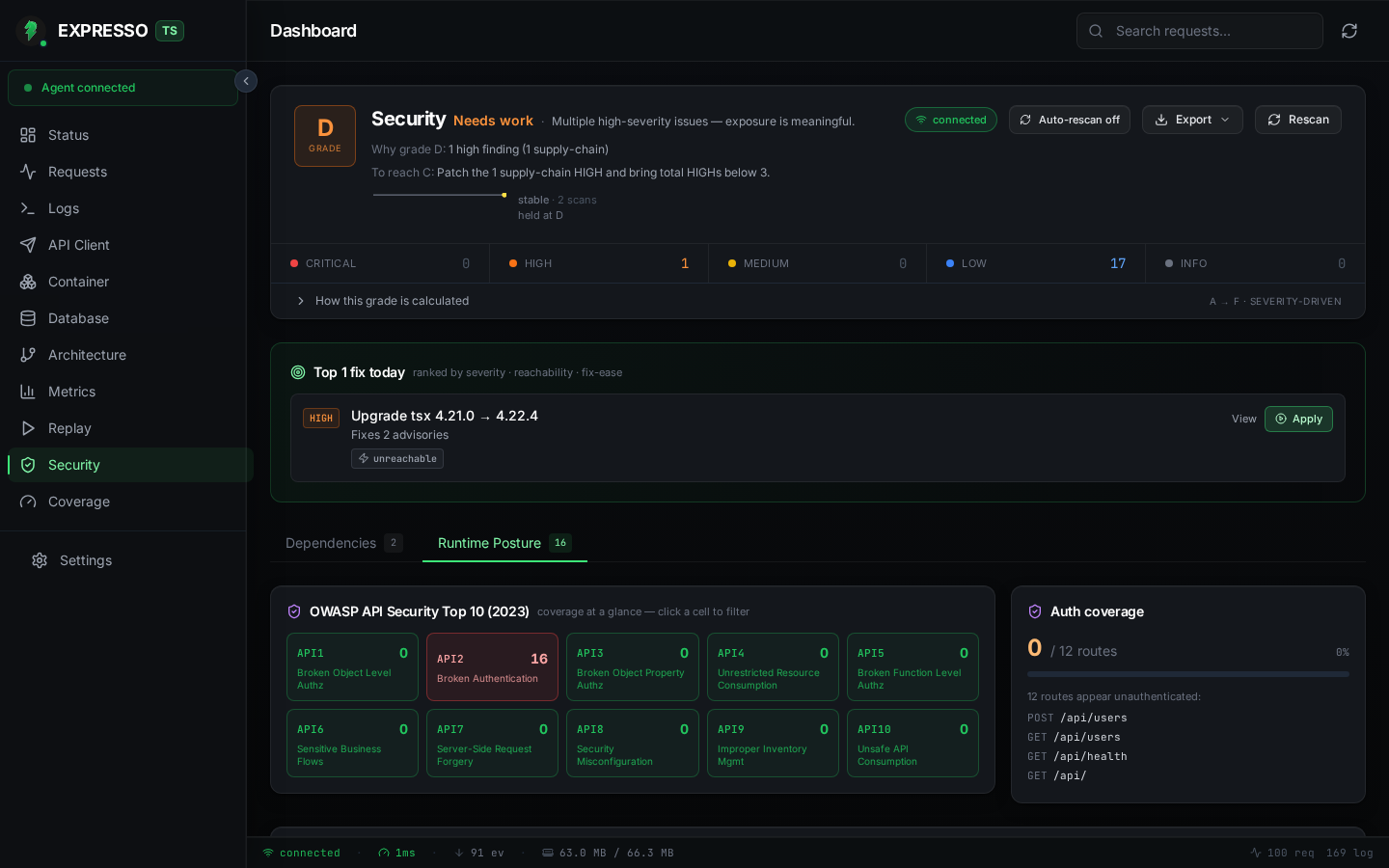
- OWASP heatmap: one tile per API1-API10 category, coloured by finding count. Click a tile to filter the list below.
- Auth coverage widget: how many routes were hit without an
Authorizationheader or session cookie during recording. - Finding cards: each posture issue links to its evidence (recorded exchange, route list, log line, or source file).
Checks include:
- BOLA: routes with
:idparams that respond without an auth guard. - Broken Authentication: sensitive routes hit without an
Authorizationheader. - Excessive Data Exposure: response bodies leaking
password,apiKey,tokenfields. - Unrestricted Resource Use: routes responding > 2 s with no
TimeoutInterceptor. - Server-Side Misconfig: CORS
*, missing helmet, and similar middleware gaps. - Injection: error logs containing raw SQL or shell exception patterns.
- Improper Inventory: source-scanned routes that never appear in recordings (zombie routes).
Rule coverage panel
Expand the Posture Check Status disclosure to see which individual rules passed, failed, or could not be evaluated yet. Some rules (security headers, CORS policy, authentication checks) require recorded HTTP exchanges to analyse. When no traffic has been recorded, those rules show a neutral "not evaluated" state instead of a misleading "clean" badge. Send traffic through your app (using the API Client or your test suite) to light up the remaining checks.
Posture findings are heuristic. They are a valuable development-time second opinion, not a replacement for a formal security review.
Aggregate score
Both pillars feed a single letter grade (A to F) on the Status dashboard and in the Security header. unreachable supply-chain findings count at 1/5 weight, so a clean codebase with only dev-only transitive advisories still scores an A. Low-severity posture findings (such as unauthenticated dev routes) may appear while you still hold an A grade if no medium-or-higher issues exist.
Generate traffic with the API Client or your test suite so posture checks have recorded exchanges to analyse.